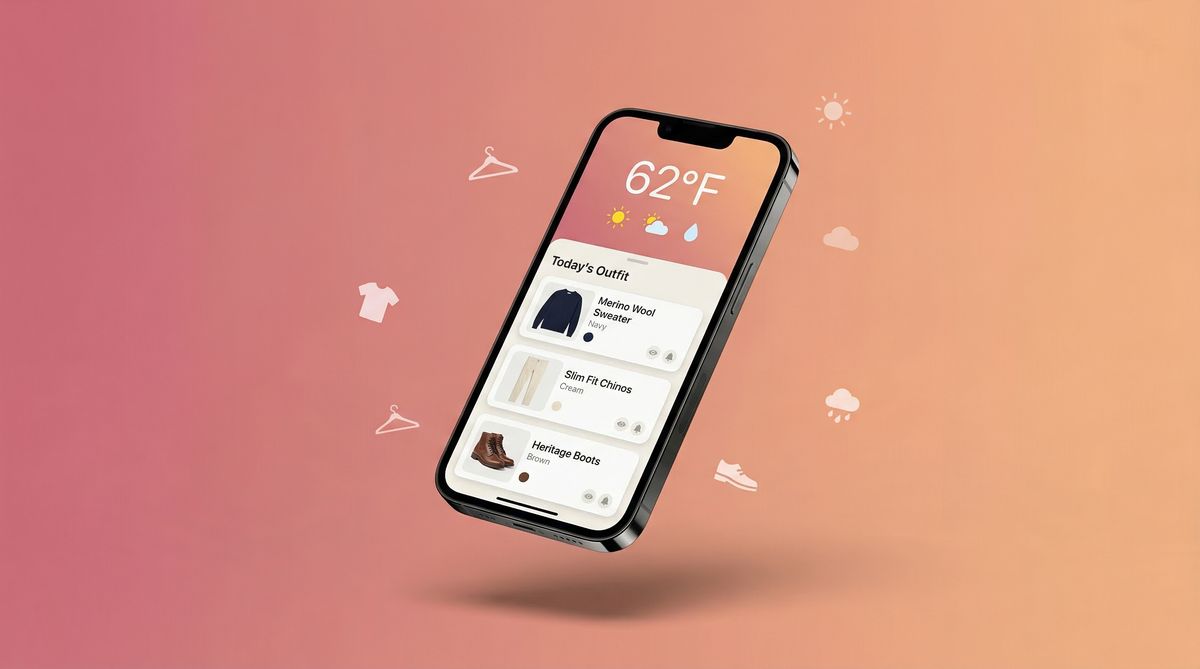
You've heard the pitch: an app that checks the weather and tells you what to wear from your own closet. But what does that actually look like in practice? How does Dresr go from "it's 58°F and windy" to "wear your navy quarter-zip over the grey tee with dark jeans"?
This is the complete walkthrough. We'll take you through every step of the Dresr experience — from the moment you download the app to the morning you wake up and your outfit is already picked. No marketing language, no hand-waving. Just a clear look at how the app works, what you'll see on each screen, and why each feature exists. (Need to understand the bigger picture first? Learn why weather-based outfit planning matters.)
Getting Started: Download to First Screen in 2 Minutes
Dresr is free to download on iOS. There's no paywall, no trial period, and no credit card required. When you open the app for the first time, you'll see a clean onboarding flow that asks three things: your location (for weather data), your style preference (casual, smart casual, formal, or mix), and whether you'd like morning notifications. That's it. The entire setup takes less than two minutes, and you can change any of these settings later.
Once onboarding is complete, you land on the main screen — your Daily Outfit view. This is the screen you'll see every morning, and it's where the magic happens.
The first thing you see is today's weather summary at the top — current temperature, the high and low for the day, and icons for conditions like wind, rain probability, and UV index. Below that is your outfit recommendation: a complete look pulled from your wardrobe, broken down by category (top, bottom, shoes, outerwear, and accessories). Each piece shows the item name, a color swatch, and optionally the photo you uploaded. At the bottom, you'll see a simple timeline showing how the weather changes throughout the day, so you understand why Dresr picked what it picked.
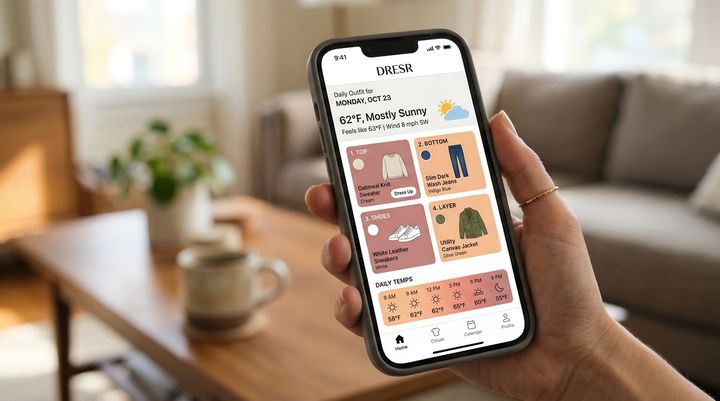
The outfit recommendation isn't random. Dresr's AI considers the full day's temperature range (not just the current reading), precipitation probability during the hours you're likely to be outside, wind speed and its effect on perceived temperature, humidity levels, and UV exposure. It then cross-references all of that with the clothes in your wardrobe — their weight, material type, color, and your past feedback on similar suggestions.
Building Your Wardrobe: The Heart of Dresr
The Daily Outfit screen works from day one with general recommendations, but Dresr gets significantly more useful once you add your actual wardrobe. This is the step that makes Dresr different from every other weather app: instead of generic advice like "wear a jacket," you get "wear your olive field jacket over the cream henley" — specific pieces you actually own.
Tap the wardrobe tab and you'll see your closet organized by category: tops, bottoms, outerwear, shoes, and accessories. To add an item, tap the plus icon, select the category, and you're presented with two options. The quick method lets you choose from a list of common items (t-shirt, button-down, jeans, chinos, etc.) and select the color — this takes about five seconds per item. The detailed method lets you snap a photo of the actual garment, add color tags, note the material weight (light, medium, heavy), and mark the style (casual, dressy, athletic). The more detail you add, the smarter Dresr's recommendations become.
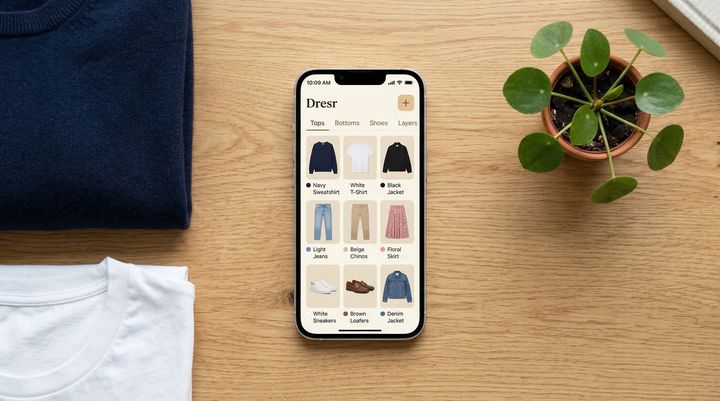
How long does it take? Most people add 20-30 core items in their first session, which takes about 10-15 minutes. You don't need to add everything at once — Dresr works well with even a partial wardrobe and gets better as you add more over time. The sweet spot is around 40-50 items, which covers most people's regular rotation.
An important note on privacy: your wardrobe photos never leave your device. They're stored locally in the app, not on our servers. When Dresr generates outfit suggestions, it only sends item metadata (name, color, weight category) to our AI service — never your images. This was a deliberate design decision. Your closet is personal, and it should stay that way.
The Daily Timeline: Why Dresr Picks What It Picks
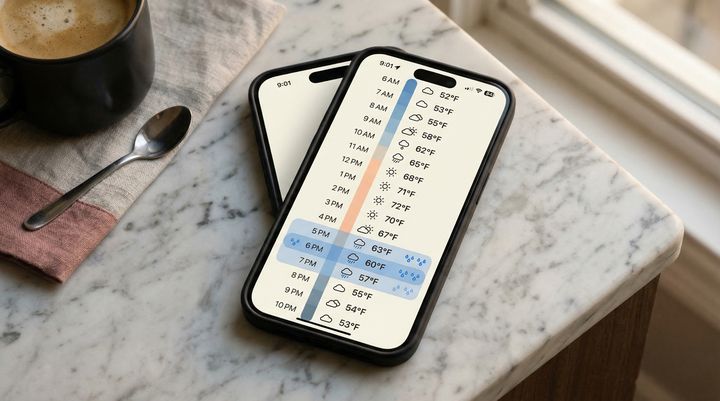
One of the most common questions new users ask is "why did Dresr suggest this?" The Daily Timeline screen answers that question. It shows you the full day's weather broken down hour by hour — temperature, precipitation, wind, and "feels like" temperature — alongside your schedule. This is the data Dresr uses to make its decisions, presented in a way that's easy to scan.
The timeline runs from your typical wake-up time to your typical bedtime (both configurable in settings). Each hour shows the forecasted temperature, a weather condition icon, wind speed, and the "feels like" temperature that accounts for wind chill and humidity. Color-coded bars make it easy to spot the cold parts of your day versus the warm parts. If there's a rain window, it's highlighted so you can see exactly when you'll need an umbrella or water-resistant shoes. This is the screen that explains why Dresr might suggest a jacket even though it's 65°F right now — because it knows it'll be 48°F and windy by the time you're heading home.
AI Suggestions: How the Matching Actually Works
Dresr's outfit engine uses a multi-factor approach that goes well beyond "it's cold, wear a sweater." Here's how it actually thinks through each recommendation.
First, it establishes the temperature envelope — the range from the lowest to highest temperature you'll experience during your outdoor hours. A day with a 52°F morning and 72°F afternoon requires fundamentally different clothing than a steady 62°F day, even though the average is similar. Dresr looks at the extremes, not the average.
Next, it factors in weather modifiers: wind (which can make 55°F feel like 45°F), humidity (which affects both warmth and comfort), precipitation probability (which influences shoe and outerwear choices), and UV index (which may suggest a hat or lighter colors).
Then it scans your wardrobe for items that match the conditions, considering material weight, coverage, and water resistance. It builds combinations that work together both functionally (warm enough, dry enough) and aesthetically (color coordination, style consistency). If you've been wearing a lot of dark tones lately, it might surface that cream sweater you haven't reached for in a while. If you marked an item as "dressy," it won't pair it with your gym sneakers.
Finally, it learns from your feedback. Every day, you can thumbs-up or thumbs-down the suggestion. Over time, Dresr learns your preferences: maybe you always run warm and prefer lighter layers, or maybe you hate wearing boots unless it's actually raining. These signals refine every future recommendation.
Dresr doesn't just check if it's cold outside. It checks when it's cold, how cold it feels, whether rain is coming, and what you actually own that handles those exact conditions — then puts together a complete outfit that looks good.
Travel Mode: Packing for Any Destination
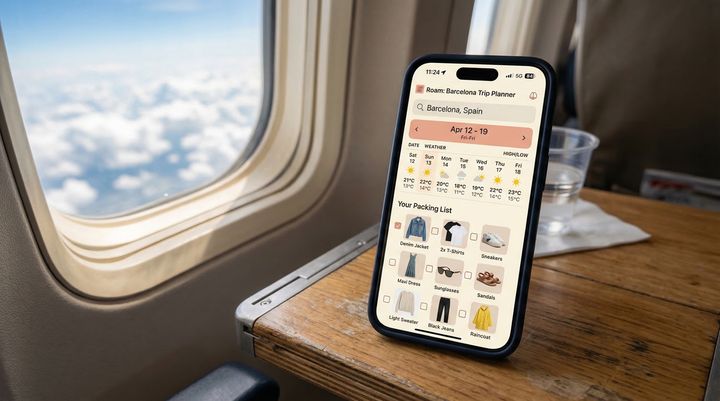
Planning a trip? Travel Mode lets you search any city in the world, set your travel dates, and see the day-by-day forecast for your entire trip. Based on that forecast and your wardrobe, Dresr generates a packing list — not generic suggestions, but specific items from your closet. It prioritizes versatile pieces that work across multiple days and weather conditions, helping you pack lighter without being underprepared. You'll see exactly which tops pair with which bottoms across different weather days, so you can pack strategically instead of throwing in "just in case" items that never leave the suitcase.
Style Preferences: Making It Yours
Everyone has a different relationship with clothing. Some people want to look polished every day. Others optimize for comfort and couldn't care less about color coordination. Dresr adapts to both — and everything in between.
In the Style Preferences section, you can set your general dress code (casual, smart casual, business casual, formal), your color preferences (neutrals only, bold colors welcome, earth tones), and your comfort priority (always prioritize warmth, always prioritize breathability, balance both). You can also mark specific items as favorites (Dresr will reach for them more often) or archive items you own but rarely wear (Dresr will deprioritize them).
The preferences screen isn't a quiz you fill out once and forget. It's a living profile that evolves as you use the app. Every thumbs-up and thumbs-down adjusts the model slightly. After about two weeks of daily use, most people find that Dresr's suggestions feel like they came from a friend who knows their style — not a generic algorithm.
Morning Notifications: Your Outfit Before You're Out of Bed
If you enable notifications during onboarding (or toggle them on later in settings), Dresr sends you a morning push notification with your outfit suggestion. You can set the exact time — most people choose 15-30 minutes before they typically start getting dressed. The notification shows a quick summary: the weather, the outfit, and any special notes (like "bring an umbrella after 3 PM" or "UV is high today — wear sunscreen").
Tap the notification and you go straight to the Daily Outfit screen with all the details. For a lot of users, this becomes the most valuable feature: you wake up, glance at the notification, and your outfit decision is already made before your feet hit the floor. No standing in front of the closet, no checking the weather, no mental math. Just grab the pieces and go.
The whole experience in one sentence: Dresr checks the weather for your entire day, looks at what's actually in your closet, and picks a complete outfit that keeps you comfortable and looking good from morning to night — all before you finish your first cup of coffee.
What's Coming Next
We're actively building new features based on user feedback. On the roadmap: calendar integration (so Dresr knows when you have a big meeting versus a work-from-home day), outfit history (so you don't repeat the same look too often), and social sharing (so you can send your outfit of the day to friends). We're also expanding wardrobe entry to support barcode scanning and brand recognition, making it even faster to log your clothes.
But the core promise stays the same: open the app, see what to wear, get on with your day. Dresr exists so that getting dressed is the easiest part of your morning — not the most stressful.